01Capture
Get it in, however it arrives.
Photograph a whole stack in one go, drag a PDF in, or print straight to the app.
iPhone · iPad · Mac
Photograph it, share it, or print it. Receipts OnHand reads the receipt on your device and writes a plain text file into a folder you choose. No account, no server, nothing uploaded.
Coming to the App Store. Free to download, with everything unlocked for fourteen days. After that, one purchase covers iPhone, iPad and Mac.
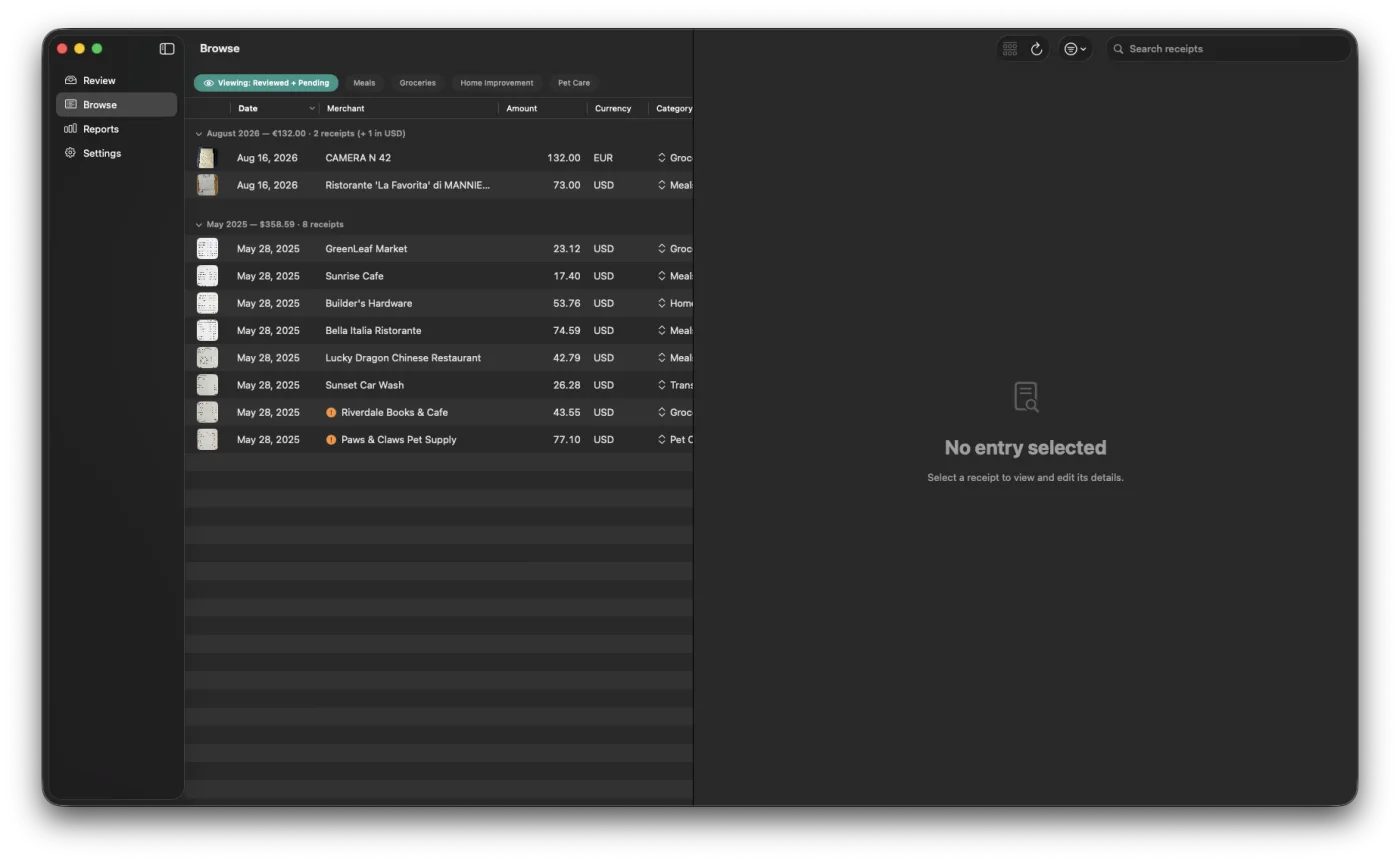
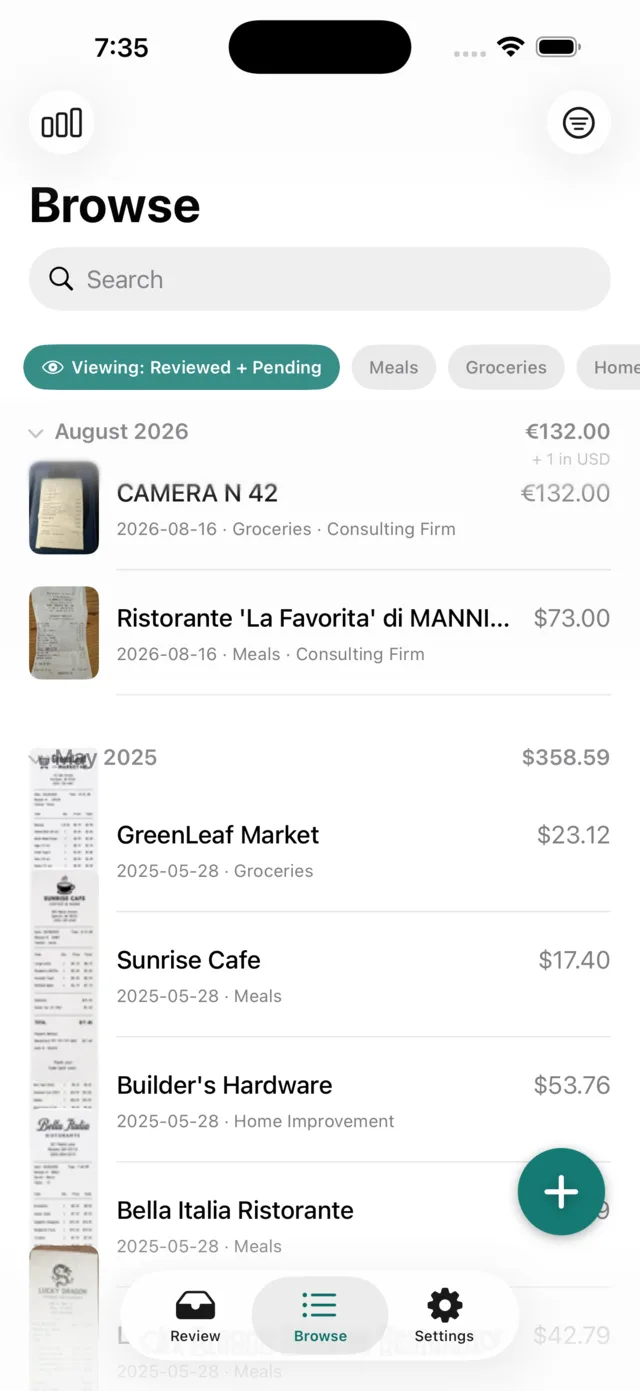
Plain Markdown in your folder. No database to be locked out of.
The AI is local. No account, no server, no telemetry of any kind.
After the one-time setup there is no network dependency at all.
iCloud Drive or a plain local folder today. Google Drive, Dropbox and Nextcloud are coming soon.
Photograph a whole stack in one go, drag a PDF in, or print straight to the app.
A vision model on your phone or Mac reads the receipt data and fills in the details. No upload and no data service needed.
Every receipt waits in Review with what the model read. Fix what it got wrong, confirm, done. Confirm a few from the same merchant and the system will start to learn the patterns.
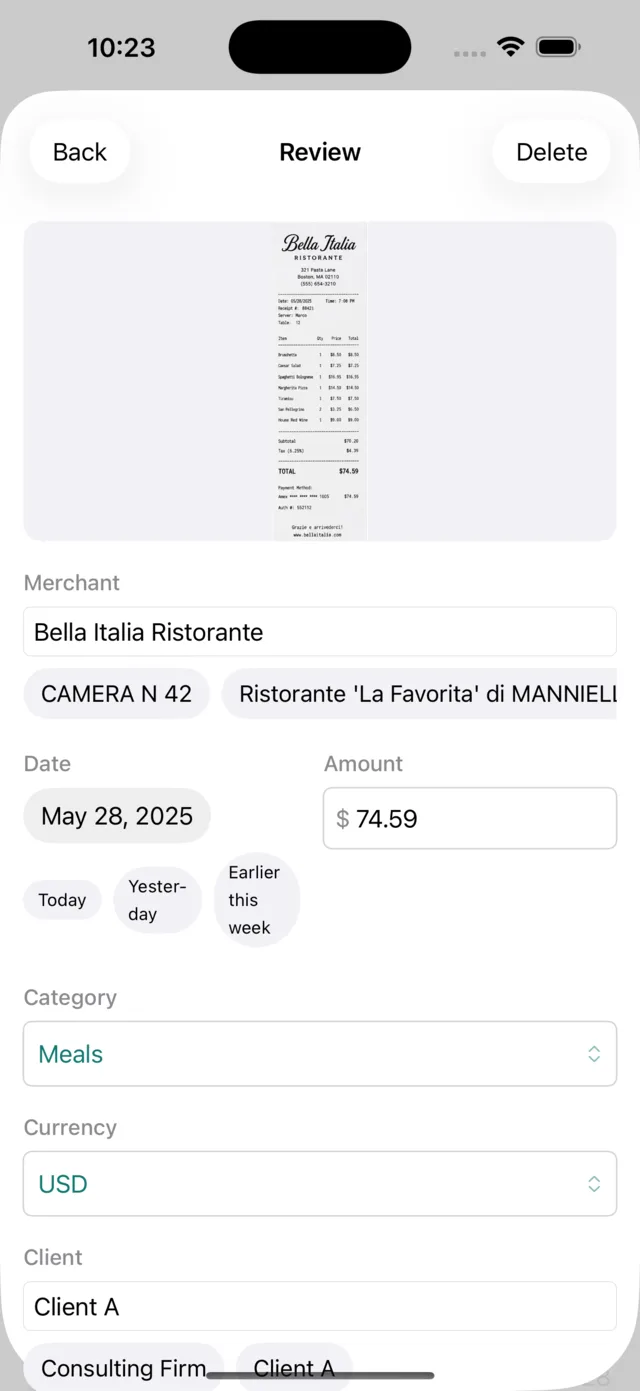
One small text file per receipt, with the original image beside it. All in a folder you picked.
Receipts OnHand/
├── _config/          categories, settings
└── Expenses/
    ├── 2025/05/
    │   └── 2025-05-28-bella-italia.md
    ├── _attachments/2025/05/
    │   └── 2025-05-28-bella-italia.webp
    └── _archive/
---
type: expense
date: '2025-05-28'
merchant: Bella Italia Ristorante
amount: 74.59
currency: USD
category: Meals
client: Client A
needs_review: false
---

![[2025-05-28-bella-italia.webp]]
Abridged. A real entry carries a few more fields.
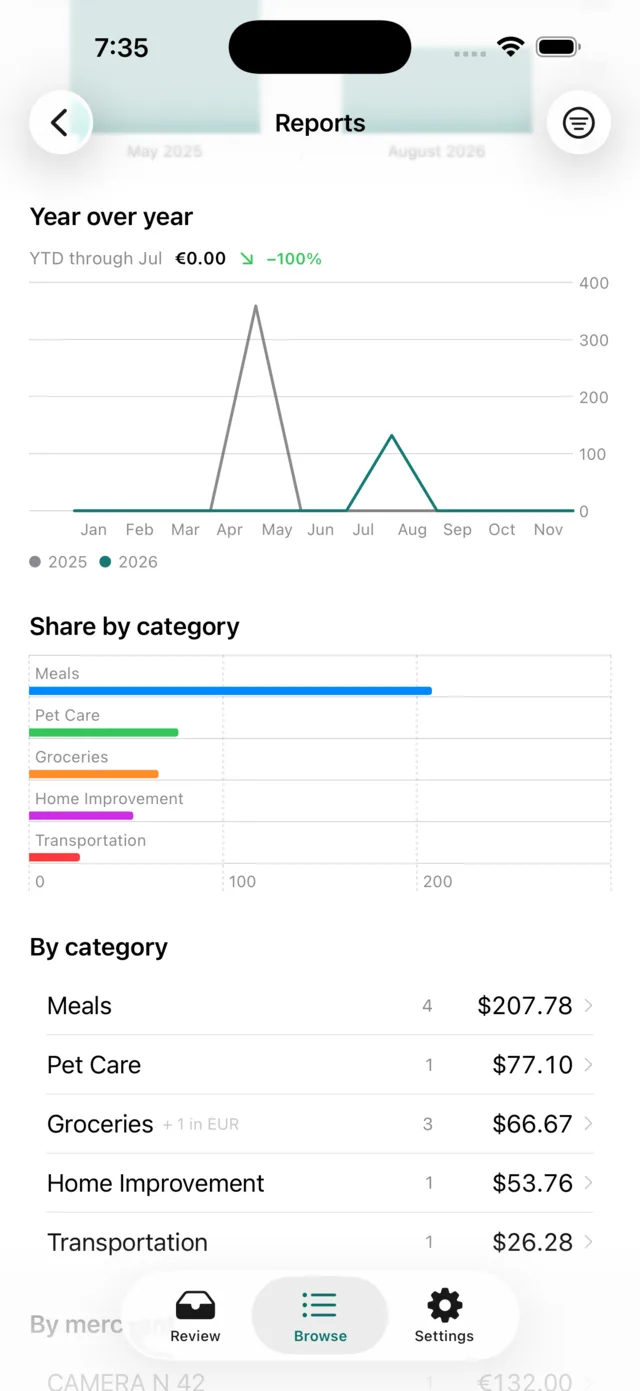
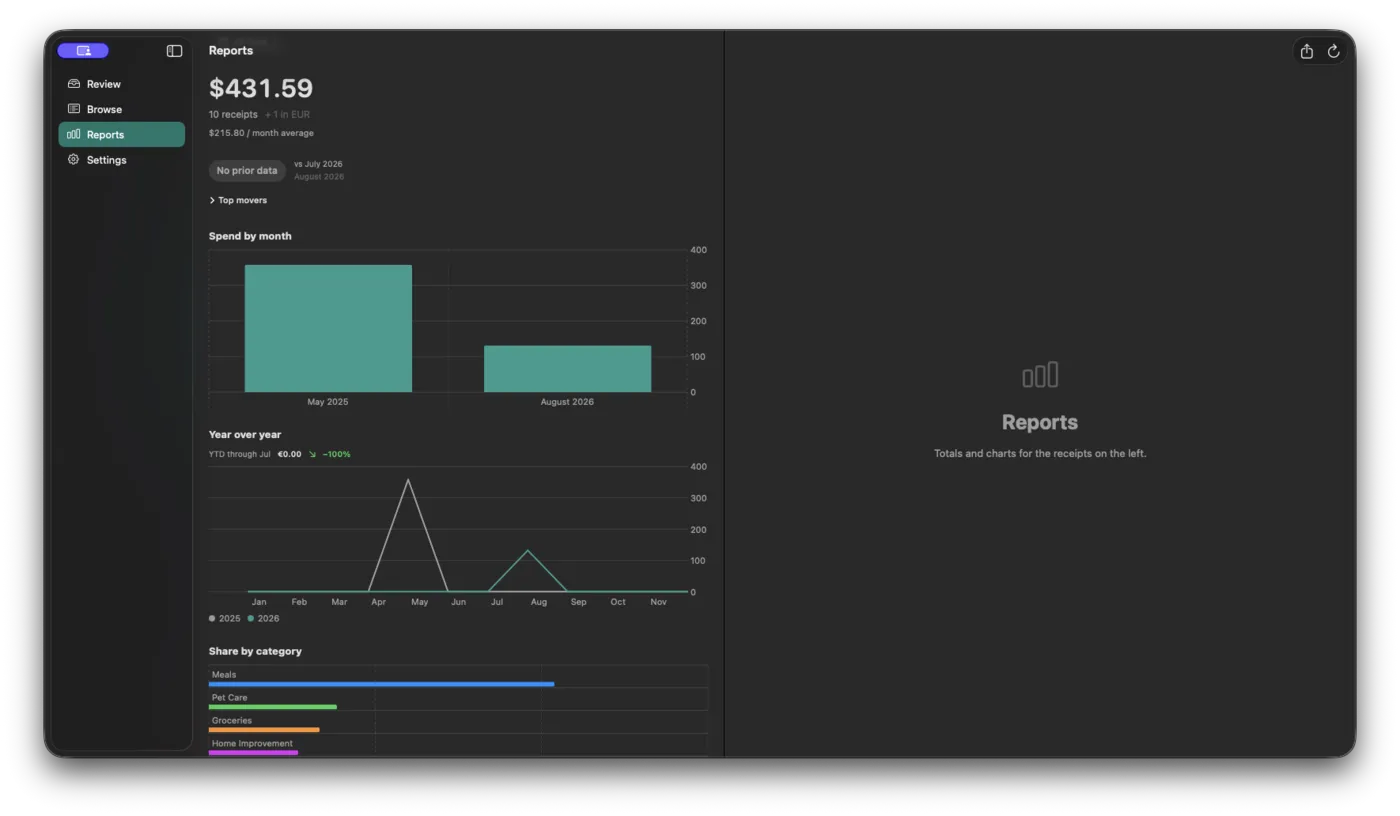
Totals by category, spend by month, per-month average and every date scope. Break the same period down by merchant, client or project, or set it against the year before. Tap any bar to see exactly those receipts. Any report you choose will export to CSV.
At the store and in the cab, the phone is where receipts happen. The Mac is where a month’s worth gets tidied up: a full table, sortable columns, inline editing, and one field changed across a whole selection at once.
Why this exists
I built Receipts OnHand for my own use. I was tired of paying a subscription just to capture my own data. I want something simple, and what I record today to be readable in ten years, somewhere I trust.
Hundreds of transactions later, it’s painless. I can categorize a stack of receipts on the flight home and feel secure each one is already written to my own disk.
 Glenn IanaroInteractive Sound LLC
Pricing
Free to download, with everything unlocked for two weeks. No card, no account, no sign-up.
Regular price $29.99
Launch price $19.99
once
One purchase covers iPhone, iPad and Mac together, with Family Sharing. Nothing renews, nothing expires, and there is nothing to cancel.
Special launch price, for a limited time.
What you get
What keeps working, bought or not
No receipt limit, no account, and every file stays in your folder either way.
One email when Receipts OnHand reaches the App Store, and the occasional note when something significant changes. The list hears first when the $19.99 launch window opens. Not shared, not sold, unsubscribe in one click.
You’ll get one confirmation email. Nothing is stored until you click the link in it.
No, and there will never be one. The app is free to download, everything is unlocked for fourteen days, and after that a single purchase covers iPhone, iPad and Mac for good. Nothing renews, nothing expires, and there is nothing to cancel.
One thing stops: the AI reading a receipt for you. Browse, search, every filter, all the reports, CSV export, editing and archiving what you already have, and typing an expense in by hand all keep working. Nothing is hidden, nothing is deleted, and anything left waiting in a watched folder is read the moment you unlock.
That is the receipt reader, and the price of the AI running on your device instead of someone’s server. The one-time download takes one to five minutes, and resumes if interrupted.
No. The app downloads its own open-source model and reads receipts with that. Nothing about it depends on Apple’s roadmap, so what it does today it will still do after the next OS release.
Yes, after that one download. Capture, reading, review, browse, reports and export all work offline.
Very good, not perfect. Messy receipts and bad photos are hard to interpret, so give the data a quick check before confirming. The system will start to learn as it goes.
Yes, by typing it in by hand. That is never part of the purchase and has no limit, so it keeps working whether you buy or not.
Not by itself. A local-only app has no server to sync through. Put your folder in iCloud Drive and your devices share it; keep it local and they don’t. Other services such as Google Drive and Dropbox are coming soon, once each is tested. One purchase covers iPhone, iPad and Mac, so point them all at the same folder.
No account linking, no transaction feed. It reads the receipts you give it.
The watched inbox, Finder Services and print-to-app. Camera capture is iPhone and iPad only.
They are Markdown and YAML files in a folder you chose. Every one stays readable in Finder, the Files app or any text editor, with or without this app installed.
Not for this version. A future major version may be its own purchase, and if we offer one we intend to price it as an upgrade for people who already own this one. Buying it is optional either way: skipping it keeps every feature you have today.